When your Honeywell smart thermostat screen goes dark, it almost always points to one thing: a power problem. More often than not, it’s something simple like dead batteries, a tripped breaker, or a loose "C" (Common) wire—the one that gives the thermostat its continuous power. Getting it back online is usually just a matter of walking through a few troubleshooting steps.
Why Is Your Honeywell Thermostat Screen Blank?
There's nothing quite like that feeling of seeing a blank thermostat screen on a freezing morning or a sweltering afternoon. It’s a clear sign your home's command center is down. A Honeywell smart thermostat is one of the best smart devices for home, but even the best tech has its moments.
Before you jump to the conclusion that the thermostat itself is dead, hold on. In my experience, the problem is almost always a simple hiccup in the power supply chain somewhere between your furnace and that little box on the wall.
The Diagnostic Starting Point
Think of this like a detective story. You have to rule out the most obvious suspects first before you start tearing things apart. It saves time, money, and a whole lot of frustration.
Let’s start with the easiest and most common culprits first:
- The Thermostat Itself: Your thermostat has backup batteries for a reason. If they die, the screen can go blank even if your main power is working just fine.
- Your HVAC System's Power: It’s easy to forget about the power switch right next to your furnace or air handler. If that gets switched off, or if a breaker trips, the entire system—thermostat included—goes dark.
- The Wiring: Those little low-voltage wires can get bumped or come loose over time, both at the thermostat and inside the furnace panel.
Here’s a quick breakdown of the most frequent reasons you might be seeing that blank screen and where you should start your investigation.
Common Reasons for a Blank Honeywell Thermostat
This table covers the most common issues I see in the field that cause a Honeywell thermostat to go blank. It lays out the usual symptoms and the very first thing you should check for each one.
| Potential Cause | Common Symptoms | First Action to Take |
|---|---|---|
| Dead Backup Batteries | The screen is blank, but the HVAC system might still run intermittently. | Replace the thermostat batteries with a fresh set. |
| Tripped Circuit Breaker | The thermostat is blank, and both heating and cooling are completely off. | Check your home's breaker panel for a tripped HVAC breaker. |
| Furnace Power Switch is Off | The screen is blank, and the system is unresponsive. | Look for a wall switch near your furnace/air handler and ensure it’s on. |
| Loose C-Wire | The screen flickers or goes blank intermittently; you might see a "low battery" warning even with new batteries. | Gently pull the thermostat off its baseplate and check if the C-wire is securely connected. |
| Clogged Drain Line | The screen is blank, and the AC won't run (common in summer); you may see water near the indoor unit. | Check the condensate drain pan for water, as the safety switch may have cut power. |
Following this table gives you a logical path, starting with the simplest fixes. By working through these common causes, you can often solve the problem in minutes without needing any special tools.
This handy flowchart gives you a visual guide for the first few steps when you're staring at a dead thermostat. It all starts with power.
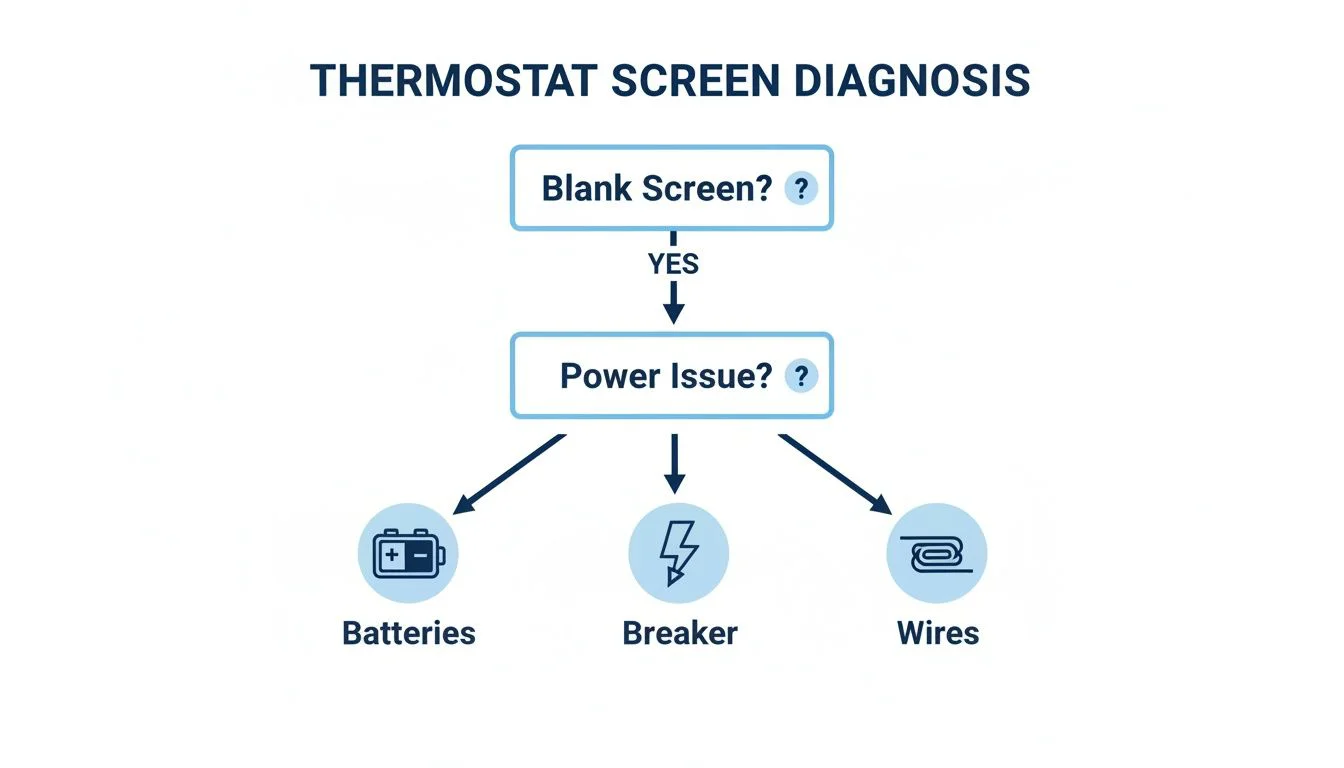
As you can see, a blank screen sends you down one of three paths: check the batteries, check the breaker, or check the wires. It’s a simple but effective way to diagnose what's going on. By following this sequence, you can efficiently figure out why your Honeywell smart thermostat is not turning on and get your home comfortable again.
Quick Fixes You Can Try in Minutes
So your Honeywell thermostat screen is completely blank. Before you start thinking about expensive repairs or calling in a pro, let's cover the basics. More often than not, a dead thermostat is caused by a simple power issue you can sort out yourself in less than ten minutes. No special tools required.
Let's walk through the most common culprits, starting with the easiest fixes first.
Check the Thermostat Batteries
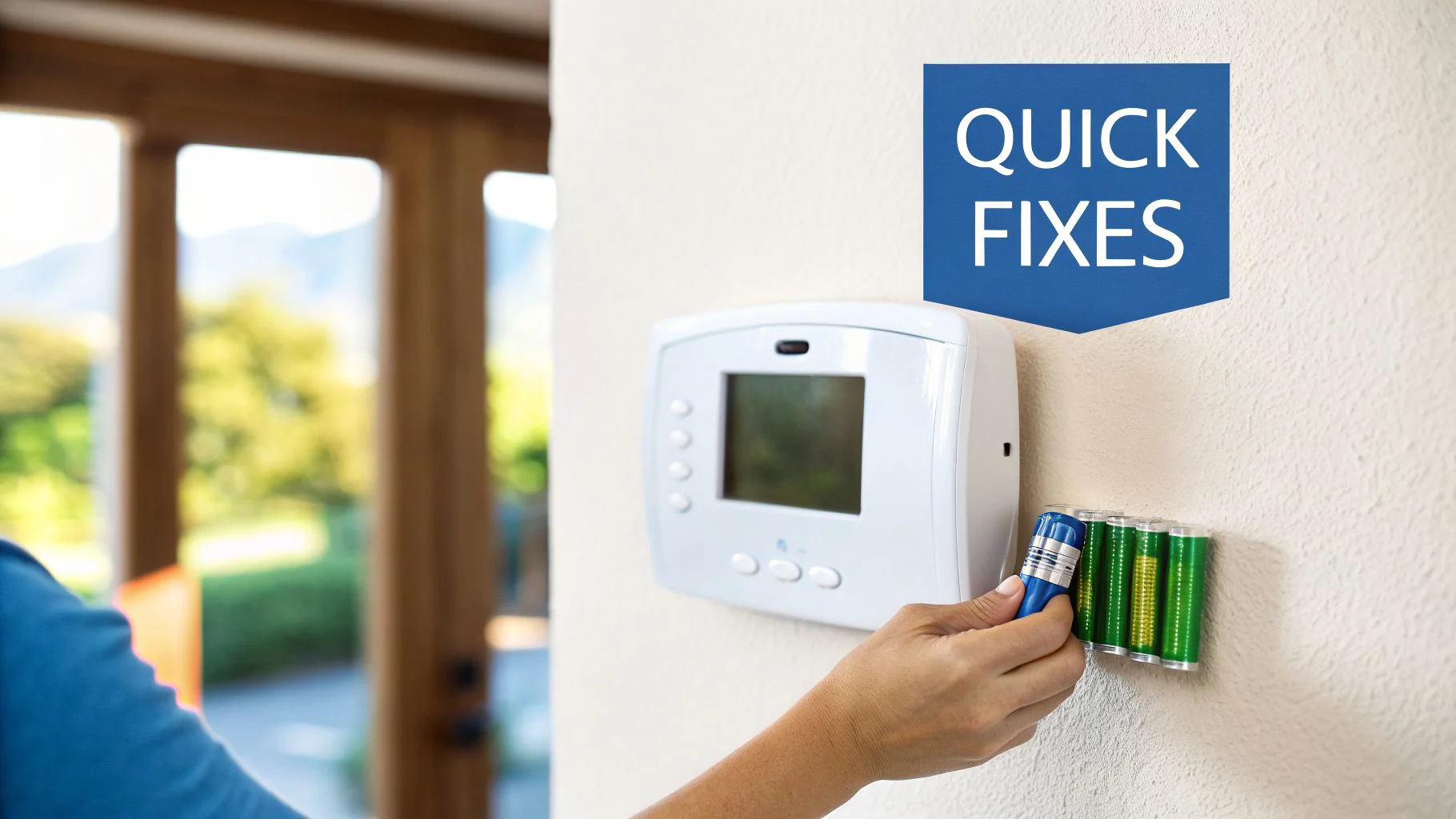
The first and simplest place to look is the batteries. I know what you’re thinking—"but my thermostat is hardwired!" Even if it has a C-wire, most models still rely on batteries for backup power. If those batteries die, the screen can go dark, especially after a brief power flicker.
Thankfully, Honeywell makes this easy. Just gently pull the main thermostat unit straight off its wall plate. You’ll find the battery compartment on the back. Pop in a fresh set of high-quality AA or AAA alkaline batteries, then snap the faceplate back onto the wall. Give it a minute or two to see if it comes back to life.
Find Your Circuit Breaker
If fresh batteries didn't do the trick, your next stop is the home’s electrical panel. A tripped circuit breaker is a super common reason for a Honeywell smart thermostat not turning on, because it cuts power to the entire HVAC system.
Head to your breaker panel, which you'll usually find in the basement, garage, or a utility closet. Scan the labels for "Furnace," "Air Handler," "HVAC," or "AC." If you see a breaker that's in the middle or "off" position, it has tripped. To reset it, push it firmly all the way to "off" and then flip it back to "on."
A breaker that trips over and over is a major red flag. If it trips again immediately after you reset it, do not touch it again. This is a clear signal of an electrical fault that needs to be investigated by a licensed electrician or an HVAC technician.
Locate the Furnace Power Switch
Here’s a little secret many homeowners don’t know about: your furnace or air handler has its own power switch. It often looks just like a regular light switch and is usually mounted on the side of the unit or on a nearby wall. It’s surprisingly easy to bump this switch and turn it off by accident, especially if it’s in a busy hallway or closet.
Find your indoor HVAC unit and look around for this switch. Make sure it's flipped to the "on" position. Sometimes the fix is as simple as that.
Inspect the Furnace Door Safety Switch
As a safety measure, all furnaces have a small button or switch that immediately cuts power when the main access panel is opened. If that panel isn't shut completely, the switch won't be engaged, and your whole system—including the thermostat—will have no power.
Check that your furnace or air handler’s cover is seated properly and that any screws or latches holding it in place are tight. As you push the door closed, you should hear or feel a faint "click" as the panel presses the safety switch down. A loose cover is a sneaky problem, but it's an easy one to fix.
Checking the Low-Voltage Wires Behind the Thermostat
Alright, if the quick fixes didn’t do the trick, it's time to dig a little deeper and check the wiring behind the thermostat itself. Don't worry, you don't need to be an electrician for this part. A quick visual check can often solve the mystery of why your Honeywell smart thermostat is not turning on. More often than not, the culprit is just a loose wire.
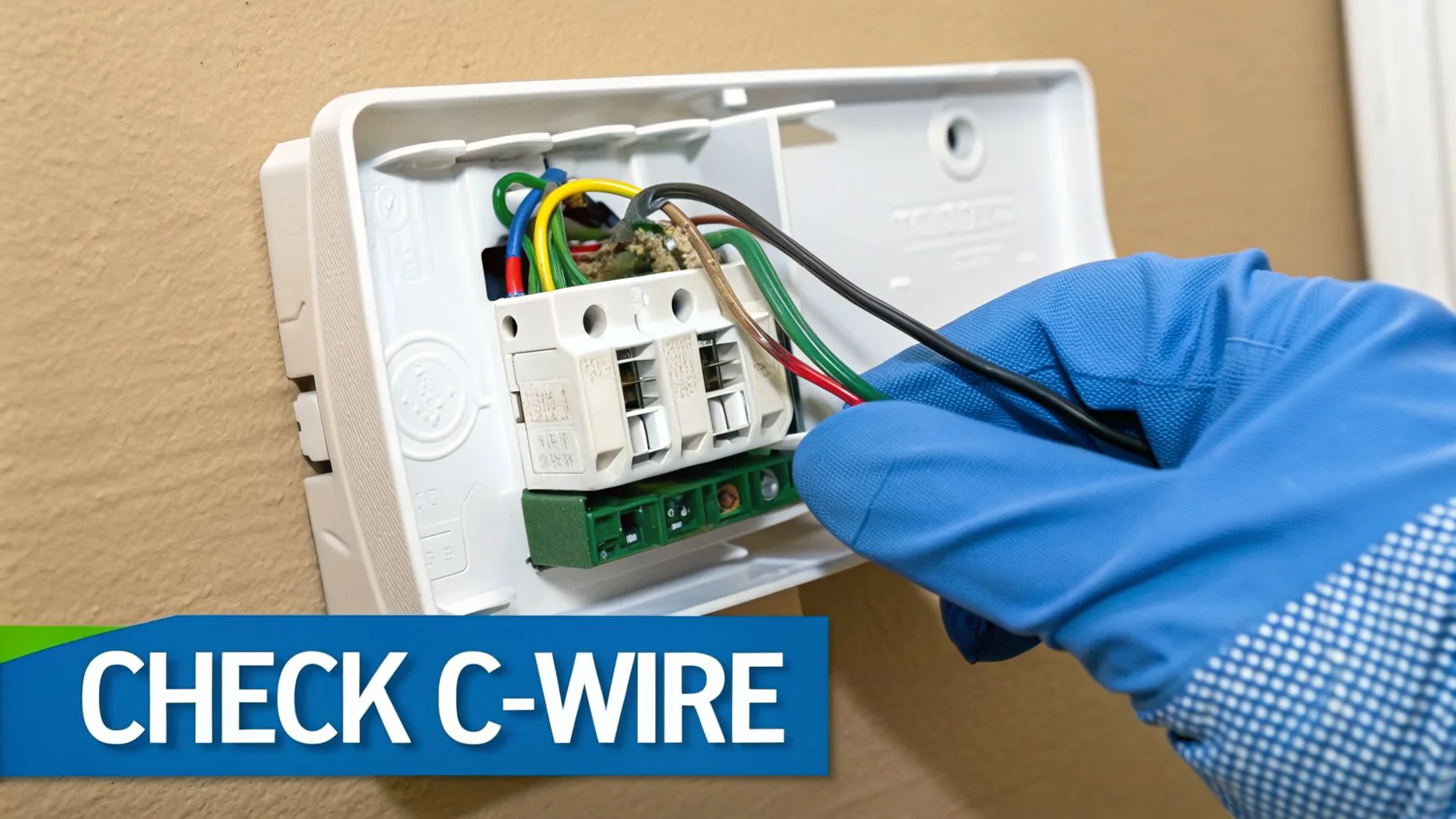
First things first, and this is the most important step: go to your breaker panel and turn off the power to your HVAC system. I can't stress this enough—it's a non-negotiable safety measure. Once you're absolutely sure the power is off, gently pull the thermostat's faceplate off its wall-mounted base. Behind it, you'll find a small cluster of colored wires screwed into terminals.
Inspecting the C-Wire Connection
Your main focus here is the C-wire, or "Common" wire. This is the little guy that provides the continuous 24V AC power that smart thermostats need to stay on. A loose C-wire is probably the number one reason I see for a dead screen.
It’s amazing how easily these can get loose. Simple vibrations from a slamming door or just the house settling can be enough to jiggle a wire out of place over time. Take a close look at the wire connected to the terminal labeled "C."
- Is it actually secure? Give the wire a very gentle tug. A properly seated wire won't budge.
- Is the copper showing? Make sure enough bare copper wire is touching the metal terminal. It’s a common mistake for the plastic insulation to get clamped down instead of the wire itself.
- Any signs of corrosion? Look for any greenish or whitish gunk on the wire or the terminal. That buildup can easily block the electrical connection.
If you spot a loose wire, grab a small screwdriver to loosen the terminal, push the wire back in until it's snug, and tighten the screw back down. Don't go crazy and overtighten it. Pop the faceplate back on, head back to the breaker to restore power, and see if your thermostat wakes up.
While a loose wire is an easy DIY fix, sometimes the problem is deeper. Electrical failures are a silent killer for smart thermostats. A 2023 teardown of one Honeywell unit showed it 'failed spectacularly'—the live-side welds were charred and switch bodies had melted under normal use. This pointed to poor quality control, a pattern seen in 18% of Honeywell complaints. You can watch the detailed analysis of this failure on YouTube to see exactly what internal burnout looks like.
While you’ve got the faceplate off, it’s a good time to double-check all the connections. If you're getting into the wiring, reviewing a good smart thermostat installation guide can help you spot if something was connected wrong from the start. For example, if you have a wire in the "R" terminal but not "RC," the jumper switch needs to be in the "1 Wire" position. If both are used, it should be set to "2 Wire."
If you’re running into other wiring headaches, check out our guide that helps you diagnose complex Nest thermostat wiring issues. Many of the same principles apply to Honeywell thermostats, too.
Advanced Diagnostics for Deeper Power Problems
So, you’ve tried all the quick fixes—fresh batteries, resetting the breaker—and your thermostat is still a blank screen. When the simple stuff doesn't work, it usually means the problem isn't with the thermostat itself. More likely, the issue is lurking deeper inside your HVAC system's power supply.
This is where we roll up our sleeves and get a little more technical. For the confident DIYer, a few key tests can help you trace the power flow and find exactly where it’s getting cut off.
Safety First: Before you even think about opening your furnace or air handler panel, you have to turn off the power to the entire HVAC system at the circuit breaker. This isn't just a friendly suggestion—it's a critical step to avoid a nasty electrical shock.
Testing for 24V Power with a Multimeter
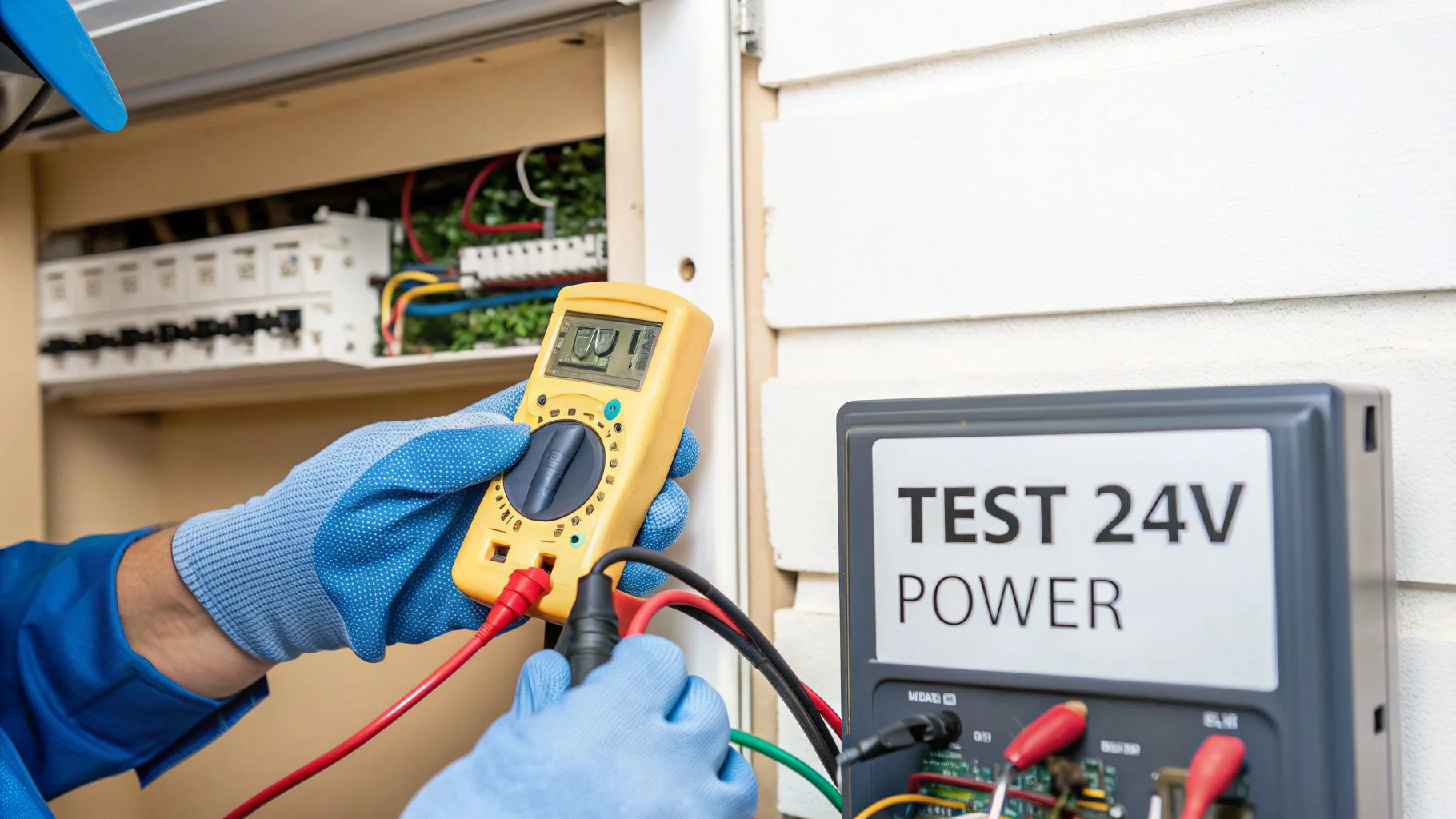
Your best friend for this job is a multimeter. Your Honeywell smart thermostat runs on low-voltage 24V AC power, which is created by a transformer inside your furnace. By testing for this voltage, you can figure out if power is even making its way to the thermostat.
First, set your multimeter to read AC voltage, often marked with a V~ or VAC. If your meter isn't auto-ranging, you'll want to pick a setting higher than 24V, like 200V.
- Test at the Furnace: Pop open the service panel on your furnace or air handler. Find the control board and look for the terminals labeled "R" and "C." Carefully touch one probe to the "R" terminal screw and the other to the "C" terminal screw.
- Test at the Thermostat: If you get a good reading at the furnace, the next step is to check the power at the thermostat's wall plate. Just touch one probe to the R wire's screw and the other to the C wire's screw.
You’re looking for a reading somewhere between 20-30 VAC. If you see that voltage at the furnace but get nothing at the thermostat, you’ve probably got a broken wire somewhere in the wall. If you get no voltage reading at the furnace, the problem is inside the HVAC unit itself.
Inspecting the Furnace Control Board Fuse
One of the most common reasons a Honeywell smart thermostat is not turning on is a tiny, unassuming fuse on the furnace control board. This little guy is designed to blow and protect the low-voltage circuit from a power surge or a short.
Look closely at the control board for something that looks like a car fuse. It's usually a colorful 3-amp or 5-amp fuse, often purple or yellow. Gently pull it out and hold it up to a light. If you can see a break in the thin metal wire inside the plastic, the fuse is blown and needs to be replaced.
A blown fuse is almost always a symptom of a bigger problem. It could have been caused by anything from a shorted wire to a failing component. If you pop in a new fuse and it blows again right away, don't just keep replacing it. That’s a clear sign you need a professional technician to track down the underlying short circuit.
Checking the Low-Voltage Transformer
If the fuse is good but you’re still getting no 24V power at the control board, the transformer is the next logical suspect. This component is what steps down your home's 120V power to the 24V your thermostat and other controls need to operate.
A failing transformer will cut power to the entire low-voltage system. Give it a good visual inspection. Scorch marks, melted plastic, or a distinct burnt smell are all dead giveaways that it has failed.
In places with extreme weather like Central Minnesota, a Honeywell smart thermostat not turning on can sometimes mean the device has simply reached the end of its life, which is typically around 7-10 years. An industry survey found that 28% of smart thermostat failures in markets like the Midwest are caused by power supply glitches or interface issues, with Honeywell accounting for a significant portion of complaints. You can learn more about thermostat longevity and failure causes from the experts at MSCO.
Determining If Your Thermostat Is Defective
So you’ve checked the power, you’ve wiggled the wires, and your Honeywell thermostat is still a blank screen. It’s frustrating, but at this point, we have to consider the obvious: the thermostat itself might have just given up the ghost.
While these little devices are pretty tough, they don't last forever. Like any other piece of modern electronics, the components inside can wear out. A smart thermostat's lifespan is typically around 10 years, and as they get older, the chances of an internal part failing go up. If you noticed the screen flickering or getting sluggish before it went dark, those were probably the warning signs.
When Internal Components Fail
Sometimes an internal failure is quiet and subtle. A tiny capacitor on the circuit board just calls it quits, and poof—the screen goes black. Other times, the failure is a lot more dramatic and frankly, a little scary.
Back in 2011, for example, thousands of people learned this the hard way on a cold Minnesota winter night. The U.S. Consumer Product Safety Commission (CPSC) issued a recall for about 6,300 Honeywell programmable thermostats after getting 16 reports of the units melting. This not only created a serious burn hazard but also caused the thermostats to stop working entirely. You can read the official CPSC recall announcement to see just how bad an internal failure can be.
While a meltdown is rare, it’s a good reminder that the thermostat itself can be the single point of failure. If you've tried everything else, a bad unit becomes a very real possibility. We dive deeper into how these devices fail in our article on whether a thermostat can go bad.
Considering a Factory Reset
Before you officially call it dead, there's one last thing you can try: a factory reset. This is the "turn it off and on again" of the thermostat world, but on a much bigger scale. It wipes all your schedules, Wi-Fi settings, and personal preferences, taking the device back to how it was when it came out of the box.
Normally, you'd do this through the on-screen menu. But with a blank screen, that’s not an option. Check your model's manual—some have a tiny physical reset button you can press with a paperclip, while others might reset if you remove the faceplate or batteries in a specific sequence.
A factory reset is a last-ditch effort. It won't fix a hardware failure like a burnt-out component, but it can clear a critical software bug. If the thermostat powers back on after a reset, you’ve likely found your culprit. If it remains dead, it's almost certain the unit is defective.
At this point, the path forward is pretty clear. Trying to solder a new component onto a thermostat's circuit board isn't practical or safe for most people. The best move is to replace it. A new thermostat not only gets your heat or AC running again but also comes with a fresh warranty and more modern features.
Knowing When to Call an HVAC Professional
There’s a real satisfaction in fixing things yourself, I get it. But with any DIY project, especially one involving your home's electrical and HVAC systems, knowing your limits is the most important skill you can have. Some issues are clear red flags that it's time to put the tools down.
Your safety and your expensive HVAC system just aren't worth the risk. If you’ve gone through the diagnostics and hit any of these roadblocks, stop immediately and call a licensed professional.
- You’ve confirmed there's absolutely no 24V power reaching the furnace control board.
- A breaker keeps tripping right after you reset it. This points to a dangerous electrical short somewhere in the system.
- You smell something burning or see any scorch marks on the furnace, transformer, or wiring.
- You notice any wiring that looks frayed, chewed, or damaged. This is a major fire and shock hazard.
The Value of a Professional Technician
Calling in an expert isn't admitting defeat—it's making a smart call. A licensed technician doesn't just guess; they arrive with specialized diagnostic tools that can trace the exact point of failure, often in minutes. They're trained to safely handle high-voltage components like transformers and complex control boards.
When your Honeywell smart thermostat is not turning on because of a fault deep inside your HVAC system, a professional diagnosis is really the only way forward. They can provide a warrantied repair, which gives you peace of mind that the job was done right.
Ultimately, if you feel uncomfortable or out of your depth at any point in the process, that’s your cue. Trust your gut. Taking a moment to learn about the qualities to look for in an HVAC contractor will help you find a trustworthy pro to get your heat or AC back up and running safely.
Frequently Asked Questions
When your thermostat screen suddenly goes dark, a million questions pop into your head. We get it. Here are the answers to some of the most common ones we hear from homeowners dealing with a non-responsive Honeywell smart thermostat.
Why Did My Thermostat Go Blank After a Power Outage?
Power outages, even the little flickers that last just a second, can really scramble a smart thermostat's brain. It's supposed to reboot itself when power comes back, but sometimes it just gets stuck in limbo.
Before you panic, try giving it a little nudge. Gently pull the thermostat's faceplate straight off its wall mount. Give it about 30 seconds, then snap it firmly back into place. This forces a hard restart and often gets it to wake up and reconnect.
How Do I Know if My Thermostat Is Broken or Just Needs New Batteries?
That's the million-dollar question. It's easy to assume the worst, but a lot of hardwired Honeywell models still rely on batteries for backup power. If those batteries are totally drained, the screen won't light up, even if the C-wire is doing its job.
Your first move should always be to pop in a fresh set of high-quality alkaline batteries. If the screen flickers to life, congratulations—you just found the culprit. If it stays stubbornly blank, the problem is deeper, likely with the power coming from your HVAC system itself.
Expert Tip: Whatever you do, don't use rechargeable batteries in your thermostat. Their voltage output is often inconsistent and just can't provide the steady, reliable power these sensitive electronics need. Using them can lead to random shutdowns or a blank screen exactly when you need your heat or AC the most.
Can a Wi-Fi Problem Make My Thermostat Screen Go Blank?
Nope, this is a common misconception. If your Wi-Fi goes down, your thermostat will lose its internet connection. That means you won't be able to adjust it from your phone or app. But the screen itself will stay on and function perfectly for manual adjustments.
A completely blank, dead screen is a power problem, plain and simple. It has nothing to do with your internet connection.
If you’ve run through all the quick fixes and your screen is still dark, it's time to bring in a professional. The licensed technicians at Neighborhood Plumbing, HVAC, and Electrical have the right tools and training to safely track down tricky HVAC power issues without risking your safety or your equipment. Don't guess; contact us 24/7 and we'll get your system back up and running.